
Interior design software tools have revolutionized the way we approach design, making the process more efficient and accessible for both professionals and enthusiasts. In today’s fast-paced world, these tools not only streamline workflows but also enhance creativity, allowing designers to visualize their concepts in stunning detail.
With a plethora of options available, understanding the significance and capabilities of these software tools is crucial for anyone looking to make their mark in the field of interior design. From residential projects to commercial spaces, the right software can greatly impact the success and effectiveness of your design endeavors.
Overview of Interior Design Software Tools
In today’s fast-paced world, interior design software tools play a crucial role in the design industry. These tools not only enhance creativity but also streamline the design process, making it more efficient and effective. The right software can help designers visualize their ideas, collaborate with clients, and manage projects seamlessly.Popular interior design software tools currently available in the market include SketchUp, AutoCAD, Revit, and Chief Architect.
Each of these tools offers unique features catering to different aspects of the design process. The evolution of technology has significantly impacted interior design, as software tools have become more sophisticated, providing designers with advanced functionalities that improve overall design efficiency.
Features of Interior Design Software Tools
When selecting interior design software, both clients and designers should prioritize key features that enhance usability and effectiveness. Essential features include 3D modeling, rendering capabilities, drag-and-drop functionality, and a comprehensive library of design elements. To provide further clarity, here’s a comparison table showcasing essential features across different software options:
| Software | 3D Modeling | Rendering | Library of Elements | Integration Capabilities |
|---|---|---|---|---|
| SketchUp | Yes | Yes | Extensive | Good |
| AutoCAD | Yes | Basic | Moderate | Excellent |
| Revit | Yes | High | Large | Excellent |
| Chief Architect | Yes | High | Extensive | Good |
Integration capabilities with other design-related software or tools are essential for a seamless workflow. This allows designers to use multiple tools in conjunction with one another, enhancing productivity.
Benefits of Using Interior Design Software Tools
Digital tools for interior design offer several advantages over traditional methods. They provide the ability to visualize spaces in 3D, allowing for better understanding and decision-making. Furthermore, digital tools facilitate quick revisions, enabling designers to adapt their plans based on client feedback.User testimonials highlight the success of projects completed using these software tools. For instance, a residential renovation project led to a 30% increase in client satisfaction due to the ability to present design ideas visually.
These tools also enhance collaboration among design teams and clients, making communication more effective and reducing misunderstandings.
Interior Design Software for Different Needs
Various types of interior design software are tailored for specific projects, such as residential or commercial design. Here are some tools suited for beginners versus advanced users:
- Beginners:
- SketchUp – Great for 3D modeling and user-friendly interface.
- Roomstyler – Excellent for quick layouts and simple designs.
- Advanced Users:
- Revit – Ideal for detailed architectural design and BIM.
- AutoCAD – Comprehensive drafting and design capabilities.
Examples of projects best suited for each type of software include residential homes for SketchUp and complex commercial buildings for Revit.
Business Impacts of Interior Design Software
Effective design software can significantly influence business growth in interior design firms. By improving design efficiency, firms can take on more projects simultaneously, thus increasing revenue. The relationship between design software efficiency and client satisfaction is evident, as faster project delivery often leads to happier clients.Here’s a table comparing the cost-effectiveness of software tools in relation to project budgets:
| Software | Initial Cost | Estimated ROI | Monthly Subscription (if applicable) |
|---|---|---|---|
| SketchUp | $299 | 3x | $29/month |
| AutoCAD | $1,690 | 5x | $210/month |
| Revit | $2,310 | 4x | $300/month |
Integration with Other Business Tools
Interior design software can seamlessly integrate with business accounting tools, enabling firms to manage finances efficiently. This synchronization is crucial for maintaining accurate budgets and forecasting expenses.The importance of synchronizing design software with business payroll systems cannot be overstated, as it streamlines operations and minimizes administrative work. Here are some software options that allow seamless integration with advertising and branding tools:
- QuickBooks
- FreshBooks
- Slack
- Trello
Training and Support for Interior Design Software
To maximize software utilization, necessary training procedures for staff should be implemented. Regular training sessions can greatly enhance the overall proficiency of the design team.Best practices for ongoing support and updates include creating a support group within the firm and utilizing online resources for troubleshooting. Essential resources and training materials for users include:
- Online tutorials and webinars.
- User manuals and documentation.
- Community forums for peer support.
Future Trends in Interior Design Software
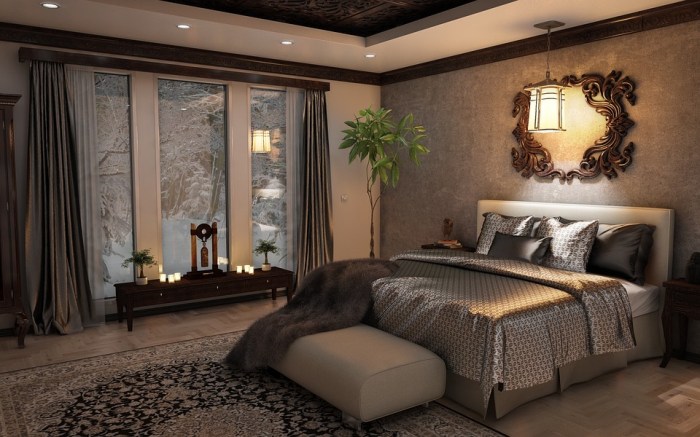
Emerging technologies, such as virtual reality (VR) and artificial intelligence (AI), are expected to influence interior design software in the future. These advancements may enhance user experience by providing interactive design environments and automating repetitive tasks.Predictions on how these tools will evolve include increased automation in design processes and improved collaboration features, aligning with changing design trends that prioritize sustainability and user-centered design.
Challenges in Using Interior Design Software
Common challenges faced by designers when using interior design software include a steep learning curve and software compatibility issues. These challenges can hinder productivity and affect project timelines.Solutions to address these challenges involve scheduled training sessions and investing in versatile software that integrates well with other tools. The impact of these challenges on project timelines and client interactions can be significant if not addressed, leading to delays and potential dissatisfaction.
Career Opportunities in Interior Design Software Utilization
Knowledge of interior design software can greatly enhance career prospects in design. Various roles within the construction industry require expertise in such tools, including interior designers, architects, and project managers.Resources for career development related to interior design software skills include online courses, certification programs, and professional workshops that focus on the latest software innovations and techniques.
Summary
In conclusion, embracing interior design software tools opens up a world of possibilities for designers and clients alike. As technology continues to evolve, staying informed about the latest trends and tools will ensure that you remain competitive in this dynamic industry. Investing in the right software not only enhances creativity but also promotes collaboration and efficiency, making it an essential component of modern interior design.
Q&A
What are the key features to look for in interior design software?
Look for features like 3D visualization, collaboration tools, customization options, and compatibility with other software.
Can interior design software be used for commercial projects?
Yes, many interior design software options are tailored to support both residential and commercial projects effectively.
Is there a learning curve for using these tools?
While some tools may have a steeper learning curve, many offer user-friendly interfaces and tutorials to help beginners get started.
How can interior design software enhance collaboration?
These tools often include features for sharing designs, receiving feedback in real-time, and managing project timelines, enhancing team collaboration.
Are there free options available for interior design software?
Yes, several free or trial versions of interior design software are available, allowing users to explore functionalities before committing to a purchase.


